

Home / Link chart maker
Create a Visual Link Chart Online
A link chart shows how entities such as people, organisations, accounts, places and events are connected. AnacapaChart lets you build one by hand in your browser: add the entities, draw labelled links, and let the chart show you which items sit at the centre. This is a visual relationship tool. It is not an SEO backlink checker.
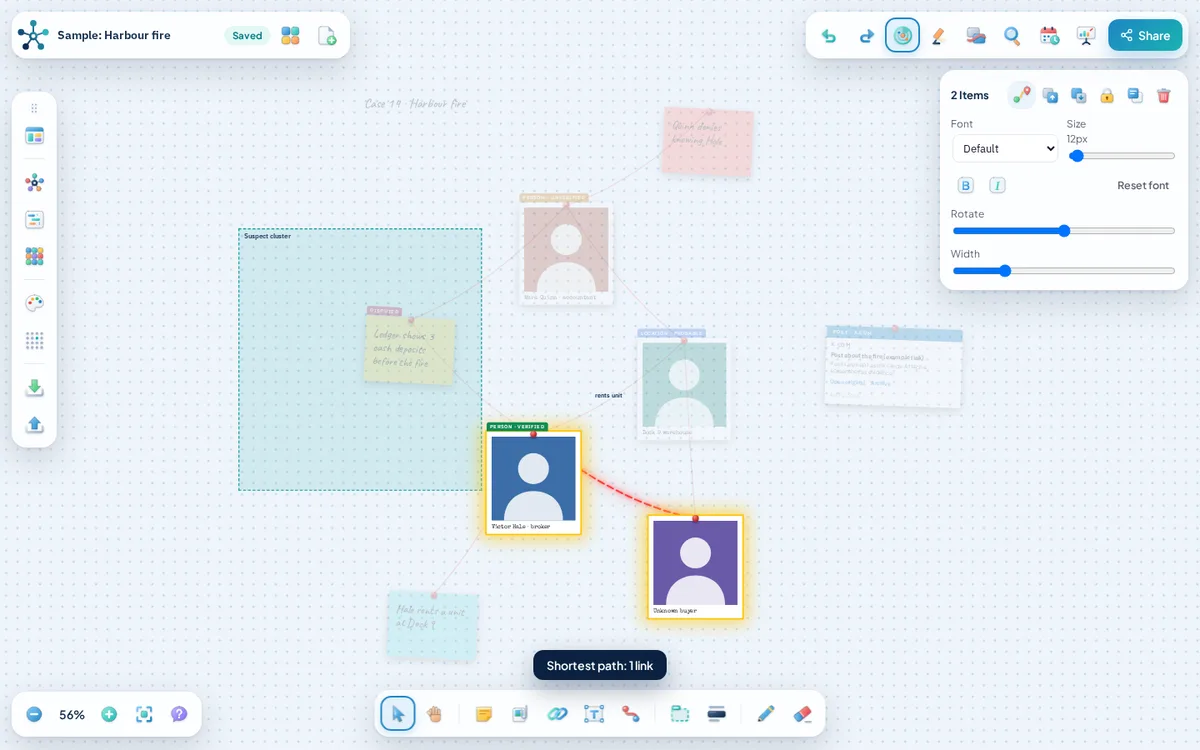
What you can add
- Entities. Cards with a category (person, organisation, location, event, document, vehicle, account), a status and a source.
- Labelled links. Every link can carry a label such as "owns", "paid by" or "met with".
- Confirmed and suspected links. Solid lines for links you can support, dashed lines for suspicions.
- Direct-link highlighting. Select an entity and its direct links glow while everything else fades back.
- Path tracing. Select two entities to find the shortest chain of links between them.
- Network layout. Arrange as network spreads the cards out so connected items sit near each other.
How to get started
- Add an entity card for each person, organisation or place you know about.
- Set the category and status on each card.
- Draw links between entities and label them.
- Choose Arrange as network from the menu to spread the chart out.
- Select the most connected entity to see its direct links.
- Select two entities and trace the path between them.
A fictional example: two companies and one address
Company A and Company B list the same registered address. Draw both links to the address card and select the address. Its two direct links glow, and tracing a path from Company A to Company B shows the chain through the address in one step. The chart shows a connection worth checking, not proof of wrongdoing.
Saving, sharing and export
Boards autosave in your browser on this device and stay there until you clear your site data, so export a board file when a board matters. A share link uploads a copy of the board to our storage, so do not share anything sensitive that way.
You can export a PNG image, save a board file you can import again later, or open a printable case report and save it as a PDF from your browser.
Frequently asked questions
Does it find connections automatically?
No. You decide what is linked. Arrange as network only moves the cards so the chart is easier to read.
Can I move cards myself?
Yes. Drag cards anywhere, lock the ones you want to stay put, or draw frames around groups.
What can I export?
You can export a PNG image, save a board file you can import again later, or open a printable case report and save it as a PDF from your browser.
Related tools
- Relationship map maker: Use AnacapaChart as a relationship mapping tool.
- Evidence board maker: AnacapaChart is a free evidence board that runs in your browser.
- Timeline maker: Put events in order and keep them connected to the people and evidence behind them.
- Guides on evidence boards and link analysis